A management app set up for your trade
Schedule, quotes, customer reminders, a list of what is left to invoice: the base is the same for everyone, the rest is set up for your business. Twenty-five demos are online and you can try them without an account.
10 h
a week: the time French craft business owners say they spend running their business. In construction, 16 hours.
Source: Asterès, economic study, October 2024.
The video presentation
The shared base and the optional modules, shown on five of the twenty-five apps. The narration is in French.
The base, shared by all of them
Every app starts from these six screens. They are already built, which leaves the project time for what is specific to your business.
01
Dashboard
What is planned today, and what is waiting for you to act.
02
Schedule
The week per person, per team or per bay, on a computer and on a phone.
03
Quotes
Lines taken from your price list, sent by email, flagged when the customer does not answer.
04
Due dates and reminders
What comes back on a fixed date: contract, inspection, order. The customer is told beforehand.
05
Customers
Contact details, history, and what to know before going on site.
06
To-invoice list
What is finished and not yet invoiced, with the detail and the total.
The twenty-five apps
They are grouped into five families. Each demo opens on a fictional company, with its customers, schedule and quotes. The demos are in French.
01
Building and home
Jobs at the customer's home, building work, and servicing that comes back every year.
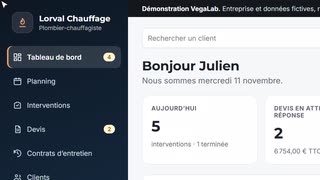 Plumbing and heating engineerJobs, quotes and maintenance contracts.Details
What takes time
- Yearly servicing is tracked in a notebook or a spreadsheet, and due dates go by with no reminder.
- Quotes are written in the evening, and the ones left unanswered are not chased.
- Between breakdowns and installations, the schedule is redone several times a day.
- At the end of the month, you have to work out what was done in order to invoice it.
What the app does
- Every contract has its due date. The customer is told, the appointment goes into the schedule, and the next date is worked out after the visit.
- A quote is built from your price list and sent by email. The ones waiting for a week are flagged.
- The engineer sees the day on a phone and follows the checklist for the job.
- Finished jobs join the to-invoice list, with the detail.
Optional modules
- Service certificate as a PDF
- Customer signature on the phone
- “Engineer on the way” text
- Online booking
- Before and after photos
- Van stock
- Route order
- Customer area
- Export to invoicing
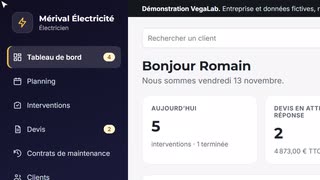 ElectricianCall-outs, installation work and maintenance contracts.Details
What takes time
- An urgent call-out comes in, and the job planned for that day has to be moved.
- Quotes are written in the evening, and the ones left unanswered are not chased.
- Maintenance visits for business customers are tracked from memory or in a spreadsheet.
- At the end of the month, you have to work out what was done in order to invoice it.
What the app does
- The schedule shows each electrician's week and can be read on a phone.
- A quote is built from your price list and sent by email. The ones waiting for a week are flagged.
- Every maintenance contract has its due date. The customer is told, the visit goes into the schedule, and the next date is worked out.
- Every job keeps the existing installation, the findings and the equipment fitted, then joins the to-invoice list.
Optional modules
- Job report as a PDF
- Tracking of French compliance certificates (Consuel)
- Customer signature on the phone
- Before and after photos
- Materials list per job
- Van stock
- “Electrician on the way” text
- Online booking
- Export to invoicing
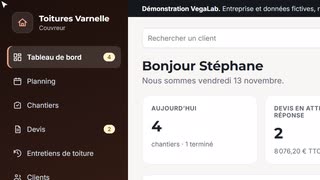 RooferRoofing jobs, quotes per square metre and yearly maintenance.Details
What takes time
- After high winds, emergency calls come in the middle of the jobs in progress.
- Every quote is priced again per square metre and per metre, in a different spreadsheet each time.
- The yearly maintenance promised to a customer is forgotten, for lack of a reminder.
- The customer does not go up on the roof and does not know what was done.
What the app does
- The schedule shows each team's week.
- Quotes use your prices per square metre, per metre or as a flat rate.
- Every roof under maintenance has its due date. The customer is told and the visit goes into the schedule.
- What was found on the roof is kept in the job and included in the message prepared for the customer.
Optional modules
- Bad weather rescheduling
- Before and after photos
- Maintenance report as a PDF
- Waiting list after a storm
- Scaffolding tracking
- Materials order
- Time spent per job
- Quote signed online
- Export to invoicing
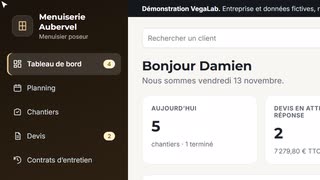 Window and door fitterSite surveys, manufacturer orders, fitting and maintenance contracts.Details
What takes time
- Several weeks go by between the survey, the order and the delivery, and nobody knows where each job stands.
- Measurements are written in a notebook and have to be found again on the day of the order.
- The gates and garage doors that were fitted are not tracked for maintenance.
- Quotes that were sent are not chased.
What the app does
- Every job keeps its measurements, its manufacturer order and its delivery date.
- The checklist follows the fitting, from the checked measurements to the handover with the customer.
- Every maintenance contract has its due date. The reminder is prepared and the appointment goes into the schedule.
- Quotes waiting for a week are flagged.
Optional modules
- Manufacturer order tracking
- Survey sheet on the phone
- Handover signed on the phone
- Snags and after-sales
- Before and after photos
- Time spent per job
- Online survey booking
- Quote signed online
- Export to invoicing
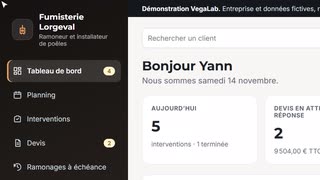 Chimney sweep and stove installerSweeping due dates, quotes and stove installations.Details
What takes time
- Hundreds of flues to sweep, each on its own date, tracked in a notebook.
- Customers call back because nobody told them it was due.
- Installation quotes are written in the evening, between two rounds.
- At the end of the month, you have to work out what was done in order to invoice it.
What the app does
- Every flue has its due date. The customer is told, the appointment goes into the schedule, and the next date is worked out after the visit.
- An installation quote is built from your price list and sent by email.
- The technician follows the sweeping checklist on a phone.
- What was found in the flue is kept in the job.
Optional modules
- Sweeping certificate as a PDF
- Rounds by area
- Online booking
- Flue photos
- Customer signature on the phone
- “Technician on the way” text
- Warranties of fitted appliances
- Quote signed online
- Export to invoicing
02
Maintenance and inspections
Work that comes back on a fixed date, site after site.
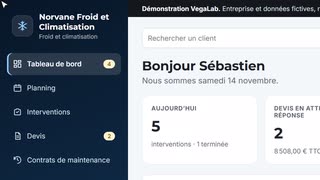 Refrigeration and air conditioningCall-outs, installations and maintenance contracts.Details
What takes time
- An urgent call-out at a shop disrupts the maintenance visits that were planned.
- Maintenance contracts are tracked from memory.
- The quantities of refrigerant handled are written on paper.
- At the end of the month, you have to work out what was done in order to invoice it.
What the app does
- Every maintenance contract has its due date. The customer is told and the visit goes into the schedule.
- Every job keeps the equipment, the refrigerant handled, the findings and the parts replaced.
- A quote for supplied and fitted equipment is built from your price list.
- The technician sees the day on a phone and follows the checklist.
Optional modules
- Job sheet as a PDF
- Refrigerant log
- Temperature readings
- Equipment list per site
- Customer signature on the phone
- Urgent calls
- Van stock
- Customer area
- Export to invoicing
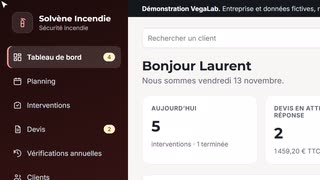 Fire safetyYearly extinguisher checks, jobs and quotes.Details
What takes time
- Dozens of sites to check every year, each on its own date.
- Customers are called one by one, when someone thinks of it.
- Faults found on site are written on paper, then copied out.
- At the end of the month, you have to find the checks that were done in order to invoice them.
What the app does
- Every site has its yearly due date. The customer is told, the visit goes into the schedule, and the next date is worked out.
- Every job keeps the equipment on site, the faults found and the equipment replaced.
- Quotes for equipment and training are built from your price list.
- Finished jobs join the to-invoice list, with the detail.
Optional modules
- Extinguisher list per site
- Check report as a PDF
- Units to replace
- Quote built from the faults
- Customer signature on the phone
- Van stock
- Route order
- Customer area
- Export to invoicing
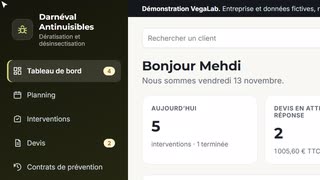 Pest controlJobs, contracts with regular visits and visit reports.Details
What takes time
- Contracts do not all have the same frequency, and the next visit for each one is worked out from memory.
- Visit reports are written in the evening.
- The products used and the findings are written on paper.
- Quotes that were sent are not chased.
What the app does
- Every contract has its frequency. The app gives the date of the next visit and prepares the message to the customer.
- The technician follows the visit checklist on a phone.
- Every job keeps the pest treated, the products used, the findings and the recommendations.
- The findings and recommendations are included in the report prepared for the customer.
Optional modules
- Visit report as a PDF
- Bait station plan
- Log of products used
- Second visit scheduled
- Customer signature on the phone
- Photos of findings
- Route order
- Customer area
- Export to invoicing
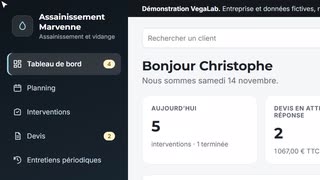 Drainage and septic servicesTank emptying, drain cleaning and periodic maintenance.Details
What takes time
- A grease trap every three months, a septic tank every four years: frequencies that are hard to keep in your head.
- The truck schedule is redone with every emergency.
- The volumes pumped are written on paper.
- Quotes that were sent are not chased.
What the app does
- Every installation has its frequency. The app gives the date of the next visit and prepares the message to the customer.
- The schedule shows each truck's week.
- Quotes are priced as a flat rate, per hour or per cubic metre.
- Every job keeps the installation, the truck access and the volume pumped.
Optional modules
- Waste tracking slip as a PDF
- Disposal log
- Yearly volume summary
- Customer signature on the phone
- Inspection photos and videos
- Urgent requests
- Route order
- Customer area
- Export to invoicing
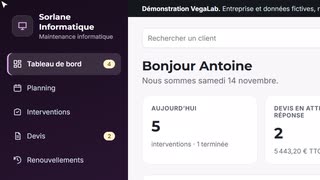 IT supportJobs, hardware quotes and renewals.Details
What takes time
- A licence, an antivirus or a domain name comes up for renewal, and nobody told the customer.
- Remote jobs are not written down, so they are not invoiced.
- Hardware quotes that were sent are not chased.
- What was done for a customer is scattered across emails.
What the app does
- Every renewal has its date. The customer is told beforehand, and the renewal goes into the schedule.
- Every job, on site or remote, keeps the customer's request and what was done.
- A quote for hardware, licences and hours is built from your price list.
- Finished jobs join the to-invoice list.
Optional modules
- IT inventory per customer
- Requests by email or form
- Prepaid hours
- Visit report as a PDF
- Warranty end dates
- Stock and serial numbers
- Quote signed online
- Customer area
- Export to invoicing
03
On-site services
Teams that go out to their customers, with a schedule to keep.
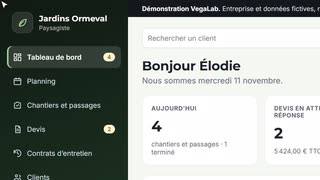 LandscaperMaintenance contracts, visits and landscaping jobs.Details
What takes time
- Contracts do not all have the same frequency, and the next visit for each one is worked out from memory.
- Teams leave in the morning with a schedule that changes during the day.
- Landscaping quotes are priced per metre and per square metre, in a different spreadsheet every time.
- At the end of the month, you have to count the visits made for each customer.
What the app does
- Every contract has its frequency. The app gives the date of the next visit and prepares the message to the customer.
- Each team's week fits on one screen and can be read on a phone.
- Quotes use your prices per metre, per square metre or per hour.
- Finished visits and jobs join the to-invoice list.
Optional modules
- Yearly tax certificates (French home services scheme)
- Visit photos
- Rain rescheduling
- Time spent per job
- Equipment tracking
- Plant list per customer
- Route order
- Customer area
- Export to invoicing
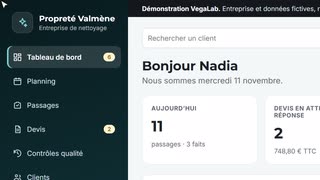 Cleaning companyStaff schedule, visits and quality checks.Details
What takes time
- Someone is off sick in the morning, and you have to find who takes over the day's sites.
- Each cleaner's hours are counted again by hand at the end of the month.
- A site's instructions (keys, codes, products) are in the head of the usual cleaner.
- Quality checks happen when there is time left.
What the app does
- The schedule shows each cleaner's week. A visit with nobody assigned is flagged and can be reassigned from its record.
- Each cleaner's total hours are shown on the schedule.
- Every visit has its instructions and checklist, readable on a phone.
- Every site has a quality check due date, scheduled like a visit.
Optional modules
- Clocking in on the phone
- Scored quality check with photos
- Customer area
- Schedule roll-over
- Suggested replacements
- Hours per cleaner for payroll
- Product stock per site
- Keys and badges
- Export to invoicing
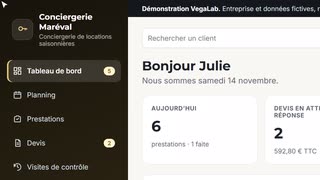 Holiday let managementChangeover cleans, guest check-ins and property checks.Details
What takes time
- On the same day, departures and arrivals in several properties.
- A member of staff is unavailable, and the job has to be given to someone else.
- The owner asks what was done in the property.
- At the end of the month, each owner's jobs have to be counted again.
What the app does
- The schedule shows each person's week. A job with nobody assigned is flagged.
- Every job keeps the stay concerned, the keys and codes, the linen and the staff remark.
- A report is prepared for the owner when the job is done.
- Every unoccupied property has its check due date.
Optional modules
- Booking platform calendars
- Inventory check with photos
- Monthly statement per owner
- Linen tracking
- Inventory per property
- Keys and key boxes
- Clocking in on the phone
- Owner area
- Export to invoicing
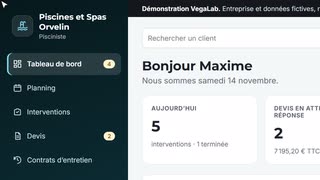 Pool maintenanceMaintenance contracts, water tests, repairs and quotes.Details
What takes time
- Contracts do not all have the same frequency, and the next visit for each one is worked out from memory.
- The water test and the products added are written in a notebook.
- A customer who is away does not know whether the visit took place.
- Equipment quotes that were sent are not chased.
What the app does
- Every contract has its frequency. The app gives the date of the next visit and prepares the message to the customer.
- Every visit keeps the water test, the products added and the findings.
- The test and the products are included in the report prepared for the customer.
- A quote for supplied and fitted equipment is built from your price list.
Optional modules
- Pool maintenance log
- Visit report as a PDF
- Visit photos
- Winterising and reopening
- Product stock in the van
- Warranties of fitted equipment
- Route order
- Customer area
- Export to invoicing
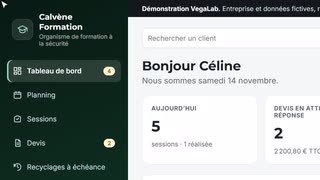 Safety training providerSessions, trainer schedule and refresher due dates.Details
What takes time
- Each client company's refreshers fall on different dates, tracked in a spreadsheet.
- The trainers' schedule is in a calendar, the sessions in a spreadsheet.
- Invitations, attendance sheet, certificates: every session has its list of things not to forget.
- Quotes that were sent are not chased.
What the app does
- Every refresher has its date. The company is told beforehand, and the session goes into the schedule.
- The schedule shows each trainer's week.
- Every session keeps its trainees, its venue, its checklist and its summary.
- A quote is built from your prices per session and sent by email.
Optional modules
- Trainees and validity dates
- Invitations by email
- Attendance signed on a tablet
- Certificates as PDFs
- Session file
- End-of-session questionnaire
- Online registration
- Training equipment
- Export to invoicing
04
Workshop, orders and events
For those who repair in the workshop, or prepare and deliver to order.
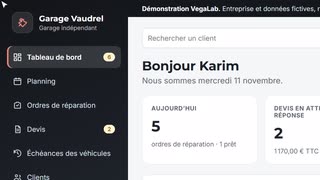 Independent garageRepair orders, workshop schedule and inspection dates.Details
What takes time
- The customer calls to ask whether the car is ready.
- Nobody tracks roadworthiness test dates, and the customer books elsewhere.
- The bay schedule lives in a paper diary.
- Quotes that were sent are not chased.
What the app does
- When the vehicle moves to “ready”, a message is prepared for the customer.
- The app keeps the inspection and service due date of every vehicle, and prepares the reminder.
- The schedule shows the week per bay or per mechanic.
- Every repair order keeps the vehicle, the mileage, the customer's request and the checklist.
Optional modules
- Quote approval by text
- Photos at drop-off
- Courtesy car
- Tyre storage
- Parts orders
- Time spent per mechanic
- Online booking
- Online service record
- Export to invoicing
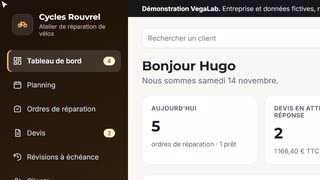 Bike repair workshopRepair orders, services and company fleets.Details
What takes time
- The customer calls to ask whether the bike is ready.
- Nobody reminds customers about the yearly service.
- The bikes of a company fleet are tracked in a spreadsheet.
- Quotes that were sent are not chased.
What the app does
- When the bike moves to “ready”, a message is prepared for the customer.
- The app keeps the service due date of every bike and every fleet, and prepares the reminder.
- The schedule shows the week per workstand or per mechanic.
- Every repair order keeps the bike, the frame number, the customer's request and the checklist.
Optional modules
- Company fleets
- Quote approval by text
- Photos at drop-off
- Parts orders
- Loan bike
- Bikes not collected
- Online booking
- Online service record
- Export to invoicing
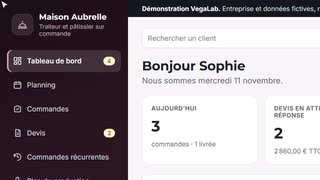 Caterer and pastry chefOrders, production plan and allergens.Details
What takes time
- Orders come in by phone, email and text, and are copied into a notebook.
- Every week, orders have to be added up to know what to produce, and on which day.
- An allergy reported by a customer has to reach the kitchen.
- Regular customers are only contacted again if someone thinks of it.
What the app does
- All orders are in one place, from the request to the delivery.
- The production plan adds up confirmed orders, day by day.
- The allergens of each preparation and the reported allergies are shown on the plan.
- Recurring orders (weekly lunch trays, yearly dinner) have their date, and the customer is contacted beforehand.
Optional modules
- Online order form
- Allergen sheet per order
- Labels
- Cost per recipe
- Weekly shopping list
- Delivery run sheet
- Loaned equipment
- Quote signed online
- Export to invoicing
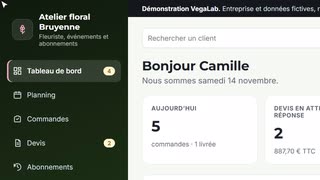 Florist, events and subscriptionsOrders, event quotes and business subscriptions.Details
What takes time
- Orders come in by phone, by email and at the counter, and are written in a notebook.
- Every subscription has its delivery day, which must not be forgotten.
- For a wedding, the colours, the venue and the loaned vases are scattered across messages.
- Event quotes that were sent are not chased.
What the app does
- All orders are in one place, from the request to the delivery.
- Every subscription has its frequency and its next date. The customer is told beforehand.
- Every order keeps the venue, the colours, the card text and the loaned vases.
- The schedule separates deliveries from shop collections.
Optional modules
- Flower buying list
- Delivery run sheet
- Cards and ribbons
- Loaned vases and containers
- Photos of the work
- Customer birthdays and occasions
- Online order form
- Quote signed online
- Export to invoicing
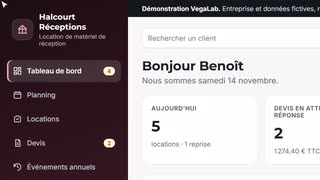 Event equipment hireBookings, deliveries, collections and yearly events.Details
What takes time
- Bookings come in by phone and by email, and are written in a notebook.
- Between deliveries and collections, the truck schedule changes every day.
- On return, you have to count what is missing and what is broken.
- Customers who hire every year at the same time are only contacted again if someone thinks of it.
What the app does
- Every hire keeps the event, the equipment sent out, the collection date and the condition of the equipment on return.
- The schedule shows each truck's week, with depot collections on a separate line.
- The checklist follows the equipment, from the count on the way out to the check on return.
- Events that come back every year have their date, and the customer is contacted beforehand.
Optional modules
- Equipment availability by date
- Delivery note signed on the phone
- Breakages and missing items
- Delivery run sheet
- Deposit tracking
- Equipment upkeep
- Online quote request
- Quote signed online
- Export to invoicing
05
Projects and logistics
Projects with several people involved and truck rounds, where each step depends on the one before.
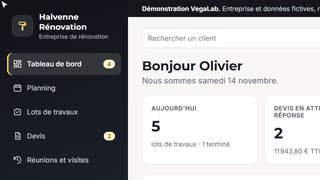 Renovation contractorJobs trade by trade, subcontractors and site meetings.Details
What takes time
- Several jobs at once, each with its own work packages and its own people.
- A subcontractor runs late, and every package after it has to be moved.
- Site meetings are set at the last minute, and the minutes go out when there is time left.
- Snags to fix are written in a notebook.
What the app does
- Every work package has its contractor, its dates and its checklist.
- The schedule shows the week of your teams and your subcontractors.
- Every job has its site meeting at a fixed frequency. The date to set is flagged, the customer is told, and the meeting goes into the schedule.
- The progress and the snags of each package are kept and included in the message prepared for the customer.
Optional modules
- Gantt chart per job
- Subcontractor access
- Meeting minutes as a PDF
- Snags with photos
- Progress per package in percent
- Subcontractor certificates
- Materials orders
- Customer area
- Export to invoicing
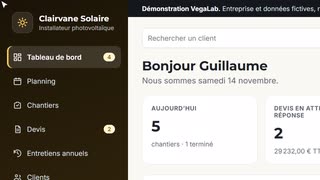 Solar panel installerJobs from survey to commissioning, paperwork and yearly servicing.Details
What takes time
- Between the town hall, the grid connection and the compliance certificate, every project is waiting for several answers at once.
- Nobody knows which file is stuck, or since when.
- The systems that were installed are not tracked for servicing.
- Quotes that were sent are not chased.
What the app does
- Every job keeps its planning declaration, its grid connection request and its compliance certificate.
- The checklist follows the project, from the site survey to commissioning.
- Every system has its yearly service due date. The customer is told and the visit goes into the schedule.
- A quote is built from your price list and sent by email. The ones waiting for a week are flagged.
Optional modules
- Paperwork tracking
- Handover file as a PDF
- Site photos
- Service report as a PDF
- Warranties and serial numbers
- Equipment order
- Quote signed online
- Customer area
- Export to invoicing
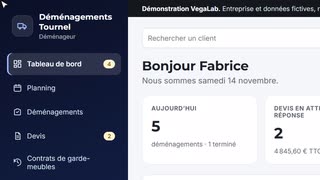 Removals companySurveys, quotes by volume, crews and storage.Details
What takes time
- Every move has its constraints: floor, lift, parking, heavy items.
- Trucks and crews are assigned on a whiteboard.
- Quotes written after a survey are not chased.
- A storage contract comes to its end date, and nobody told the customer.
What the app does
- Every move keeps the volume, the access at both ends, and the heavy or fragile items.
- The schedule shows each truck's week.
- The checklist follows the move, from the parking permit to the delivery.
- Every storage contract has its end date. The customer is told beforehand, to extend it or set the collection.
Optional modules
- Inventory on the phone
- Truck load plan
- Consignment note as a PDF
- Customer signature on the phone
- Parking permits
- Photos of fragile items
- Online declaration of value
- Online quote request
- Export to invoicing
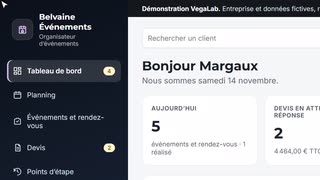 Event plannerWeddings and company events: suppliers, steps and customer reviews.Details
What takes time
- Every event depends on several suppliers, to be confirmed one by one.
- Several events are prepared at the same time, each at a different stage.
- Decisions made with the customer are scattered across messages.
- Progress reviews are booked when someone thinks of it.
What the app does
- Every event keeps its venue, its number of guests, its suppliers and the decisions to make.
- The checklist follows the preparation, from the booked venue to coordination on the day.
- Every customer has a regular progress review. The date to set is flagged, and the meeting goes into the schedule.
- Decisions noted during a review are included in the report prepared for the customer.
Optional modules
- Timeline per event
- Supplier directory
- Event budget
- Running order as a PDF
- Seating plan
- Guests and replies online
- Customer area
- Quote signed online
- Export to invoicing
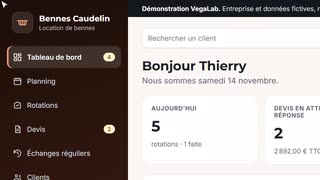 Skip hireDeliveries, swaps, collections and regular customers.Details
What takes time
- Requests for a delivery, a swap or a collection come in by phone all day.
- The truck schedule is redone with every call.
- Regular customers do not all have the same swap frequency.
- Weights are written on tickets, to be found again when invoicing.
What the app does
- Every job keeps the skip, the type of waste, the location, the road permit and the weight.
- The schedule shows each truck's week.
- Every regular customer has a frequency. The app gives the date of the next swap and prepares the message to the customer.
- Finished jobs join the to-invoice list, with the detail.
Optional modules
- Skips on site
- Hire days worked out
- Weighbridge tickets
- Road permits
- Waste register
- Route order
- Online skip request
- Customer area
- Export to invoicing
Fictional companies and data. Nothing is sent, and what you change stays in your browser.
What these apps do not do
No invoicing, no payment recording
In France, electronic invoices go through an approved platform, and recording payments from individuals falls under till software rules. The app stops at the list of what is to be invoiced, which you carry over to your usual software. An export can be added as an option.
The demos send nothing
They run in your browser, with no account. In the delivered version, accounts, data backup and real email and text sending are connected for your business.
Your trade is not on the list?
These twenty-five apps are starting points. The same base works for another trade: it takes a description of your steps, your prices and what comes back on a fixed date.
An app for your business?
Describe your business in a few lines. I will answer with what the base already covers and what would need to be added. The quote is free.